| Getting your Trinity Audio player ready... |
Your service van probably holds tens of thousands of dollars in Fieldpiece gauges, recovery machines, and torches. The tool that makes the biggest difference on most jobs? It weighs nothing and slips into a back pocket.
A good HVAC app shaves minutes off diagnostics, flags math errors before they become callbacks, and gives junior techs a reference when equipment looks unfamiliar. Without these tools, you’re wasting time you could spend on the next call.
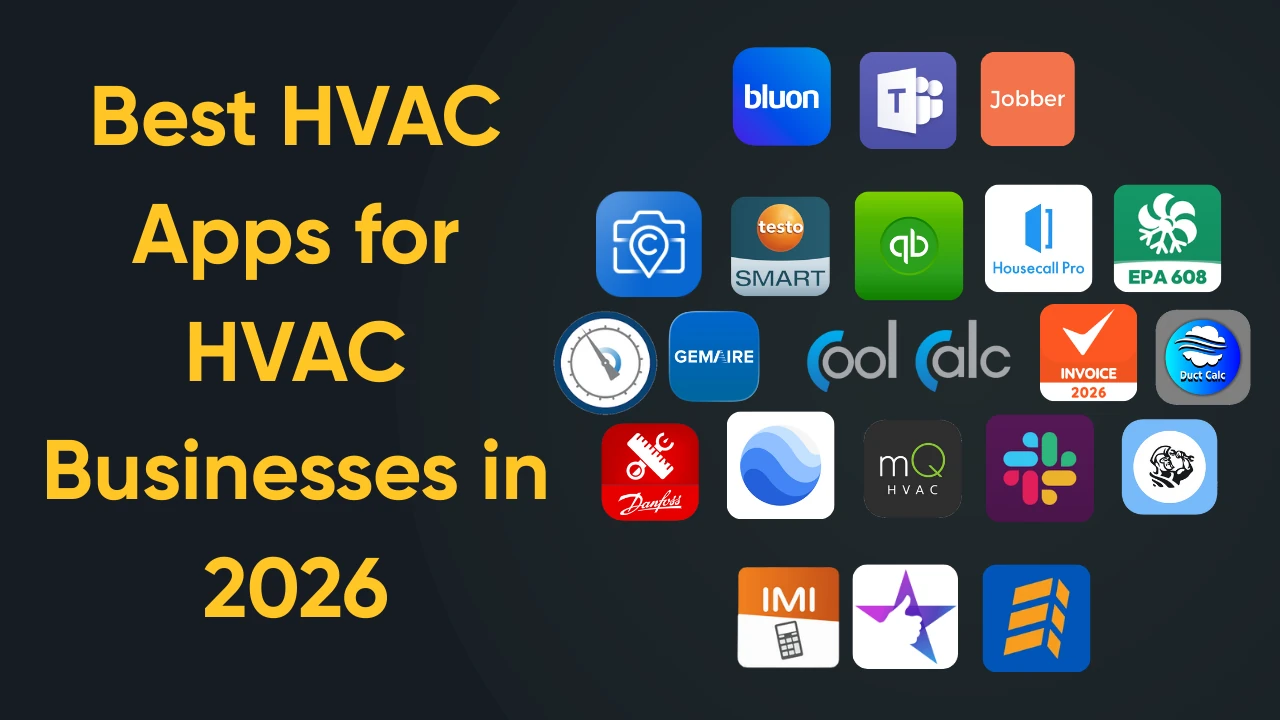
We tested dozens of options across diagnostics, field service management, invoicing, and niche utilities. From that list, we pulled out the best app for HVAC technicians handling field diagnostics and the best app for HVAC business owners trying to tighten up office operations. These are the ones worth downloading in 2026.
Quick Summary
- Best for Diagnostics: MeasureQuick
- Best for Parts: Bluon
- Best for Field Invoicing: Housecall Pro (App)
What Makes a Great HVAC App?
Honestly, most downloads get forgotten within a week. When choosing an HVAC app for your crew, ignore the marketing and pay attention to what actually helps:
- Works offline. Cell service drops out in attics, basements, and mechanical rooms constantly. Apps that cache data locally keep techs moving when there’s no signal.
- Solves a real problem. An app that doesn’t save time, prevent errors, or help close work orders is just clutter. Delete it.
- Runs on iPhone and Android. Your techs probably carry a mix of both. Cross-platform support means you’re not juggling two separate toolsets.
- Easy to pick up. Nobody wants to sit through a tutorial. The apps that stick feel intuitive within minutes.
- Connects to your other software. Standalone tools create data silos. Look for apps that sync with your CRM for HVAC companies or your field service platform so information flows where it needs to go.
With those filters in place, here are 20 apps that passed the test.
Part 1: Top Technical & Troubleshooting Apps (The “Toolbelt” Apps)
These are the apps your techs will open multiple times per day. They handle diagnostics, calculations, reference material, and parts lookup. Think of them as the digital extension of a technician’s physical toolbelt. For contractors focused on field efficiency, this is where the best app for HVAC technician productivity lives.
Diagnostic & Testing Apps
1. MeasureQuick: Real-Time Diagnostics With Smart Tool Integration
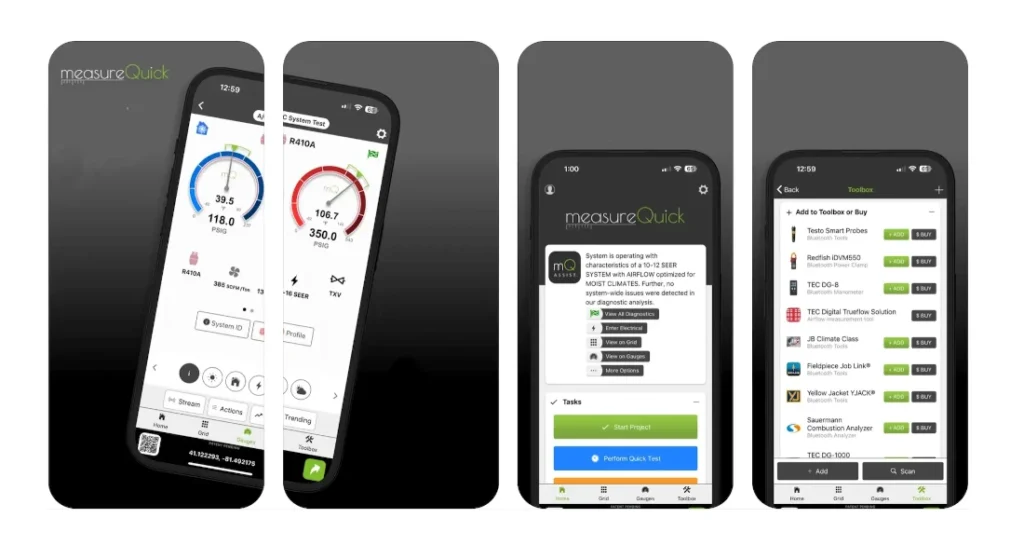
MeasureQuick pairs over Bluetooth with instruments from Fieldpiece, Testo, JB Industries, and several other manufacturers. After pairing, live readings flow straight from your probes into the app. It handles the analysis automatically, so nobody’s scribbling on notepads or punching numbers into calculators between measurements.
The diagnostics engine flags over 100 fault conditions, from refrigerant charge issues to return-air duct leakage.
For business owners, MeasureQuick generates branded System Vitals reports that document before-and-after conditions. These reports justify repairs to homeowners and protect against liability disputes. If you’re searching for the best app for HVAC business documentation, this one delivers.
- Platform: iPhone, Android
- Price: Free tier available; Premier subscription available
- Offline Mode: Yes (manual data entry)
Official website: https://measurequick.com/
2. Testo Smart: Precision Measurements Straight to Your Phone
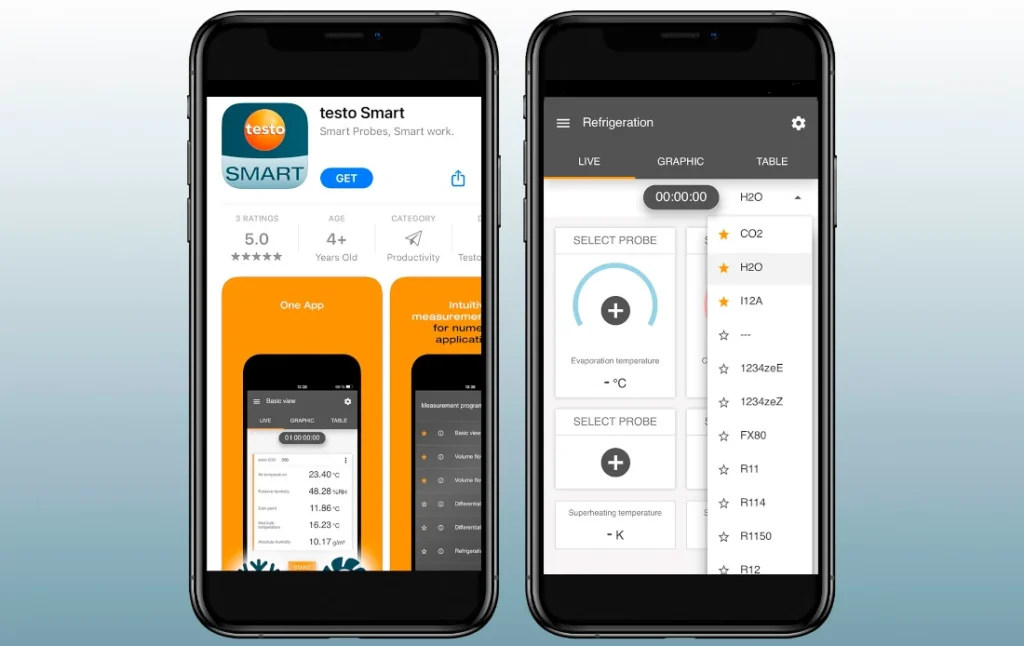
Testo Smart Probe users need this companion HVAC app to display and record the probes’ measurements. Six probes can feed measurement data into the app at once. Superheat and subcooling calculations cover 90+ refrigerants, and you can export PDF or Excel reports on the spot. Bluetooth reaches around 350 feet, so a tech can review graphs from the truck while the system cycles.
Those trend lines reveal temperature swings that single-point readings miss entirely.
- Platform: iPhone, Android
- Price: Free (requires Testo Smart Probes hardware)
- Offline Mode: Yes
Official website: https://www.testo.com/en-US/products/smart-app
3. HyTools: Fast Hydronic Calculations Without the Guesswork
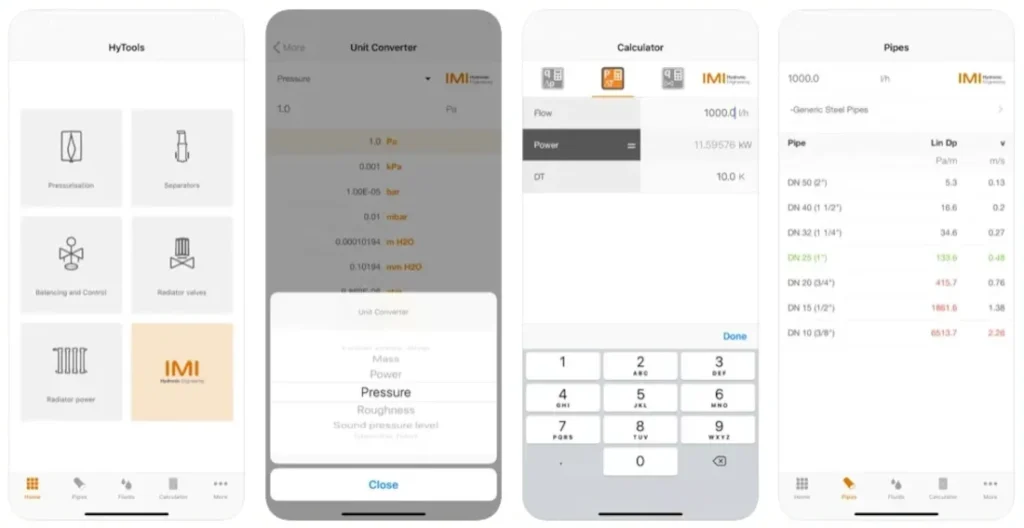
Built by IMI Hydronic Engineering, HyTools handles the math that hydronic techs used to do by hand. Enter any two values (flow, pressure drop, Kv/Cv) and the app solves for the third. It also sizes valves, estimates radiator power output, and calculates pipe dimensions.
The pressurization module added in recent updates handles expansion vessel sizing for heating, cooling, and solar systems. For commercial contractors working on complex hydronic loops, this HVAC app pays for itself on a single job.
- Platform: iPhone, Android
- Price: Free
- Offline Mode: Yes
Website: https://climatecontrol.imiplc.com/resources/software-apps/hytools-app
Calculators & Sizing
4. CoolCalc Manual J: ACCA-Approved Load Calculations on Any Device
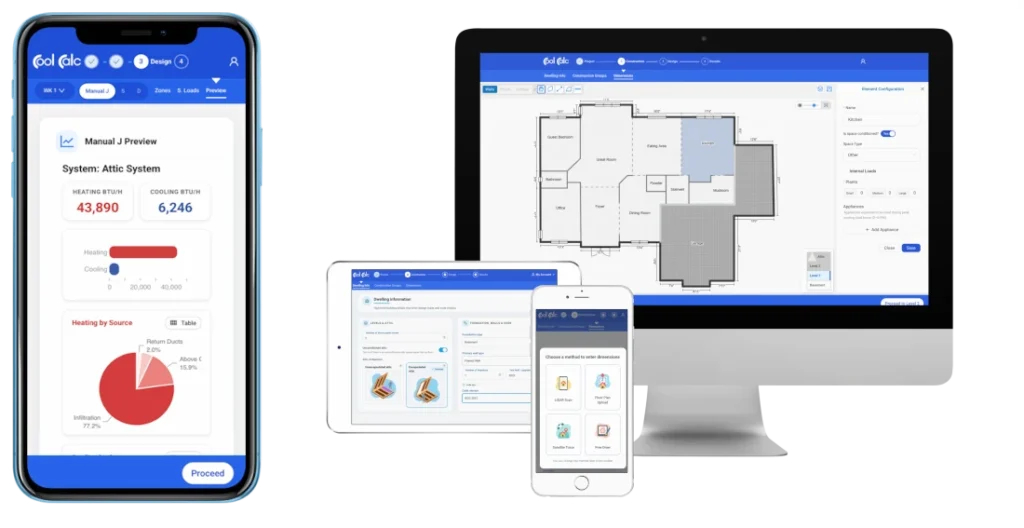
Manual J load calculations used to mean expensive desktop software and hours of data entry. CoolCalc changed that. It runs entirely in a browser, so any phone, tablet, or laptop works. Dimensions come straight from satellite imagery, and the HVAC app cranks through heating and cooling loads in a fraction of the time that legacy desktop programs required.
What you get at the end is an ACCA-approved Manual J Version 8 report, the kind that satisfies code officials and gives you documentation if anyone questions your equipment sizing down the road.
- Platform: Web-based (works on any device with a browser)
- Price: Free to calculate; paid report credits available in various pack sizes
- Offline Mode: No
Website: https://www.coolcalc.com/
5. Duct Calc Elite: The Ductulator in Your Pocket
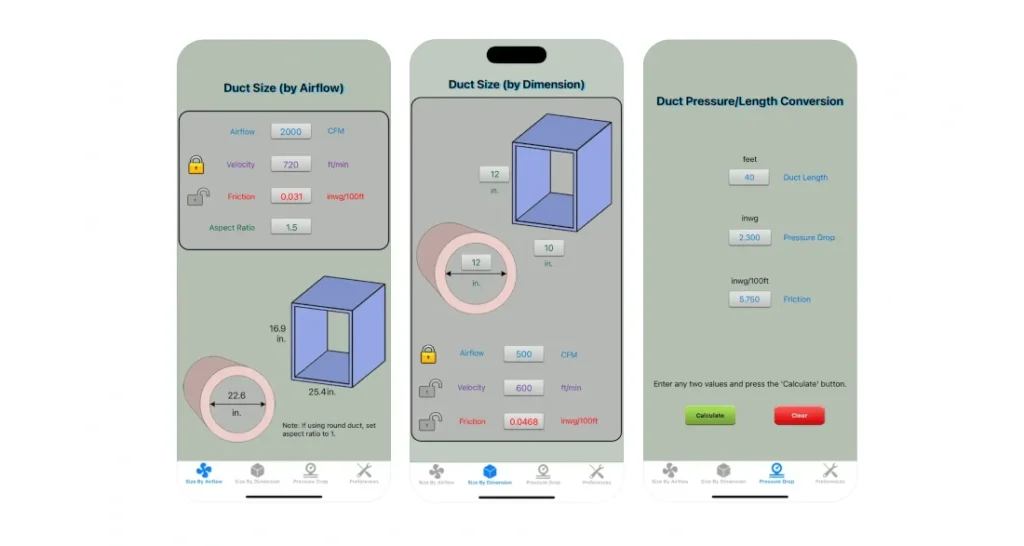
Forget the cardboard slide rule. Duct Calc Elite runs ASHRAE Handbook friction-loss equations to size round and rectangular ducts. Feed it your airflow, velocity, or pressure-drop target, and the app returns the dimensions you need.
Set your preferred units, duct material, elevation, and temperature once. The app handles conversions automatically after that.
- Platform: iPhone, Android
- Price: Paid (one-time purchase)
- Offline Mode: Yes
Website: https://www.cyberprodigy.com/ductcalcelite/default.html
6. Danfoss Ref Tools: P/T Charts and Low-GWP Refrigerant Data
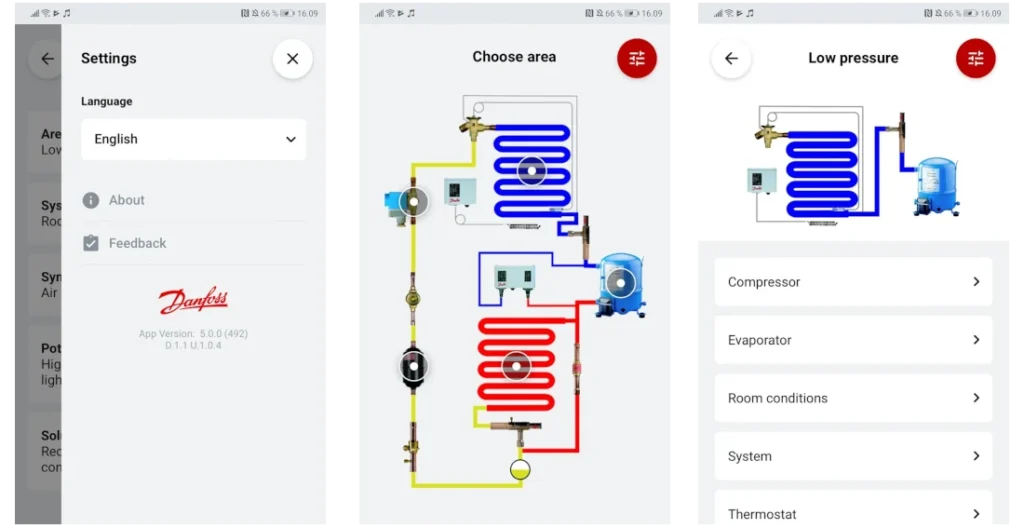
Danfoss Ref Tools started as the popular Refrigerant Slider app and evolved into a full troubleshooting toolkit. The pressure/temperature calculator covers 140+ refrigerants with dew and bubble point values for blends with glide.
The Low-GWP Tool helps techs identify climate-friendly retrofit options by checking TXV compatibility. The Troubleshooter module guides you through symptom-based refrigeration diagnostics. This HVAC app is completely free with no subscription required.
- Platform: iPhone, Android, Web
- Price: Free
- Offline Mode: Yes
Website: https://www.danfoss.com/en-us/service-and-support/downloads/dcs/ref-tools/
Reference & Learning
7. HVAC School: Podcasts, Tech Tips, and Calculators From Industry Pros
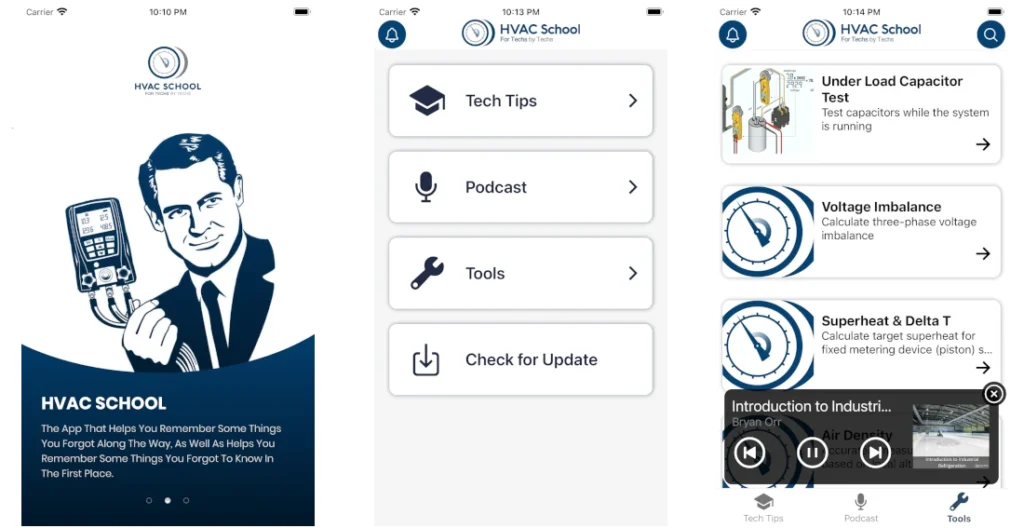
Founded by Bryan Orr, HVAC School combines a respected podcast library with written tech tips and practical calculators. Topics range from combustion analysis to heat pump troubleshooting, all explained by working technicians and trainers.
The HVAC app works well for ride-along learning. New techs can listen to episodes between jobs, then reference articles when they encounter unfamiliar equipment. The calculator section covers everything from BTU/hr conversions to refrigerant recovery tank fill levels. This is one of the best free resources for ongoing technician education.
- Platform: iPhone, Android
- Download: Google Play | Also available on the App Store
- Price: Free
- Offline Mode: Partial (downloaded episodes)
Official site: https://www.hvacrschool.com/apps-page/
8. EPA 608 Practice: Quiz Your Way to Certification
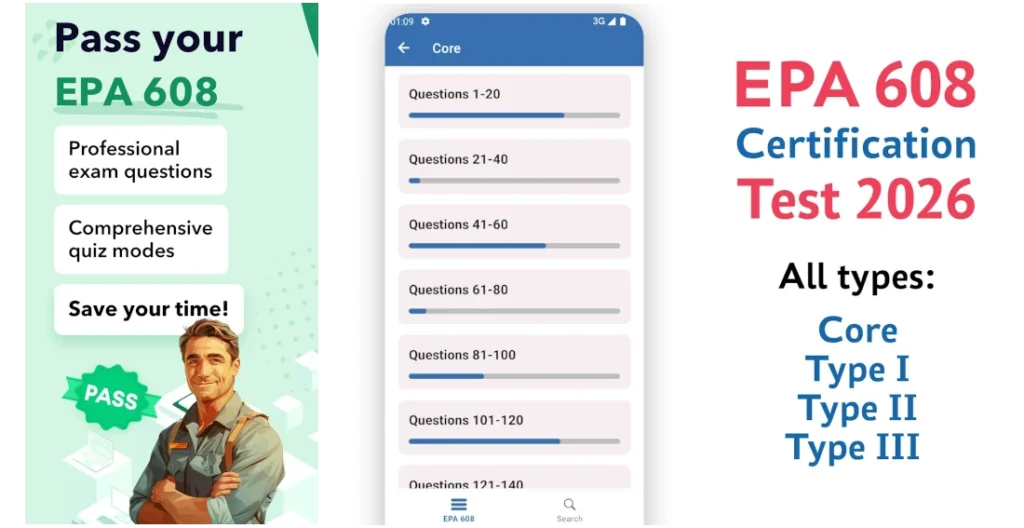
Anyone handling refrigerants has to hold an EPA Section 608 card. The EPA 608 Practice app offers question banks covering Core, Type I, Type II, and Type III material. It’s a cheap way to prep before the actual exam.
It tracks your weak spots so you know where to spend extra study time.
- Platform: iPhone, Android
- Price: Free basic versions; premium features available
- Offline Mode: Yes
App Store: https://apps.apple.com/us/app/epa-608-hvac-exam-prep/id1528925410
Google Play: https://play.google.com/store/apps/details?id=com.sima.epa&pcampaignid=web_share
Parts & Inventory
9. Bluon: Instant Parts Lookup and Live Tech Support
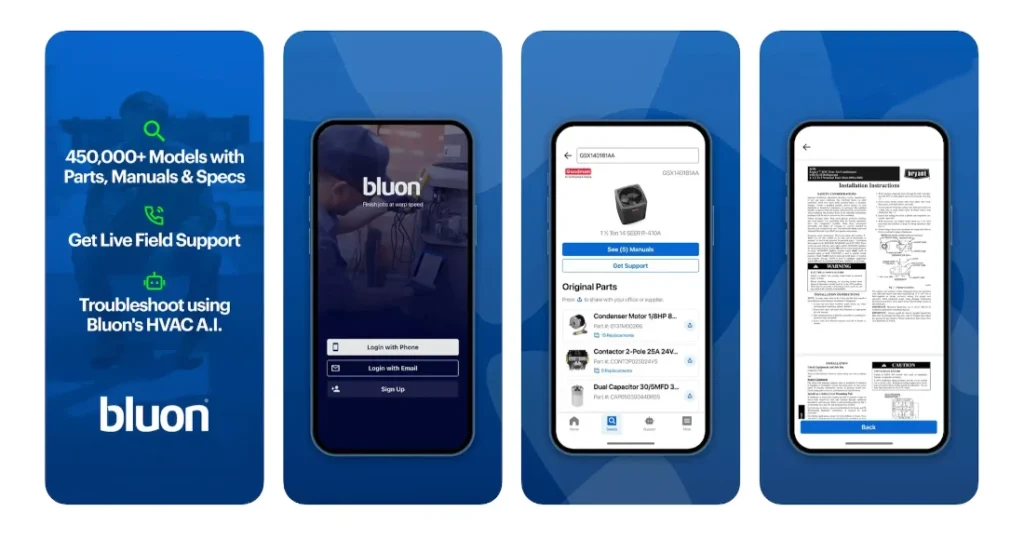
Bluon’s database covers specs, manuals, wiring diagrams, and parts lists for more than 500,000 HVAC models. Snap the nameplate or punch in a model number, and the information shows up almost instantly.
MasterMechanic, Bluon’s AI troubleshooting tool, was trained on verified solutions from 135,000+ service calls. It walks techs through fixes with steps written specifically for HVAC equipment rather than generic advice. When the AI doesn’t have the answer, a live support line staffed by experienced technicians is standing by. Many contractors consider this the best app for HVAC technician support.
- Platform: iPhone, Android
- Price: Free
- Offline Mode: Partial
Website; https://www.bluon.com/
10. Marcone or Gemaire: Direct Lines to Distributor Inventory
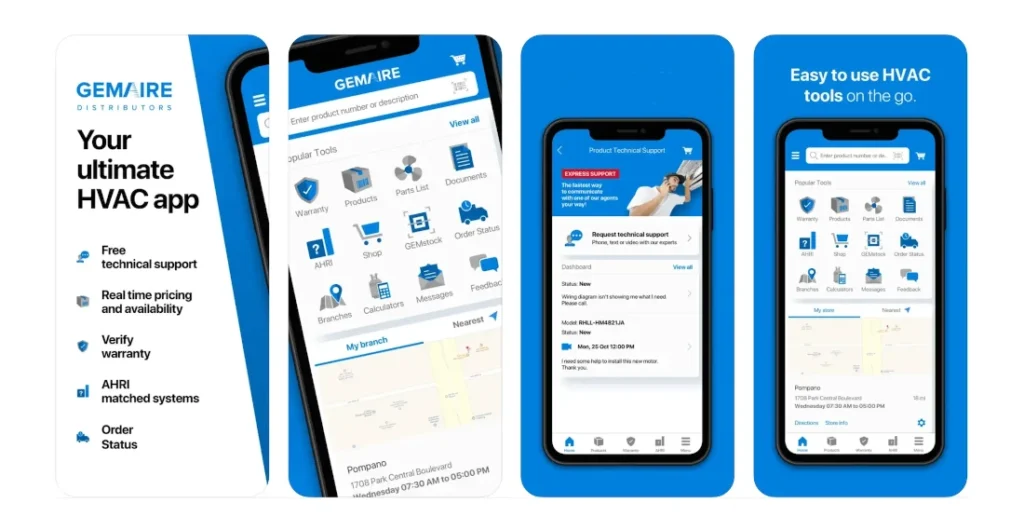
Marcone’s MyMarcone app connects directly to your distributor account for parts lookup, ordering, and inventory checks. The app includes MarconeAI, which uses ChatGPT to guide technicians through repairs and identify the parts needed to complete them.
Gemaire offers similar functionality through the HVAC Pro+ app. Check real-time inventory at nearby branches, view your pricing, place orders, and submit warranty claims from the job site. The PT calculator, subcool/superheat calculators, and duct sizing tools add extra utility. Both apps turn your phone into a direct line to parts inventory, eliminating phone calls and supply house wait times.
- Platform: iPhone, Android
- Price: Free (requires distributor account)
- Offline Mode: Limited
Marcone website: https://www.marcone.com/technology/
Gemaire website: https://www.gemaire.com/mobile-app
Part 2: Best Field Service Apps (Business on the Go)
Technical skills get the job done. HVAC business apps get you paid. The following apps handle scheduling, dispatch, invoicing, and payments from mobile devices. We’re focusing specifically on the mobile app experience here, not desktop features. For contractors scaling their operations, these represent the best app for HVAC business management.
For Dispatch & Communication
11. ServiceTitan Mobile App: Full-Featured FSM for Established Teams
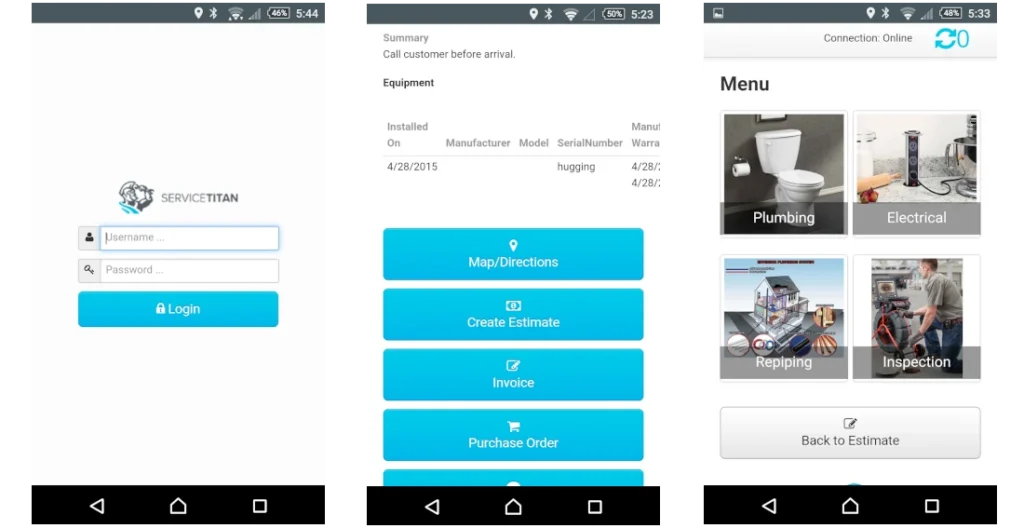
ServiceTitan’s mobile app gives technicians access to the complete job history, equipment records, and customer notes before they knock on the door. Dispatchers assign and reassign work in real time based on location and availability.
The app supports on-site estimates, membership sales, and payment collection. Integration with pricebooks means techs present consistent pricing without calling the office. For companies already running ServiceTitan, the mobile experience makes the subscription worthwhile.
- Platform: iPhone, Android
- Price: Included with ServiceTitan subscription (custom pricing)
- Offline Mode: Limited
Website: https://www.servicetitan.com/features/field-mobile-app
12. Housecall Pro App: Simple Scheduling and Fast Invoicing
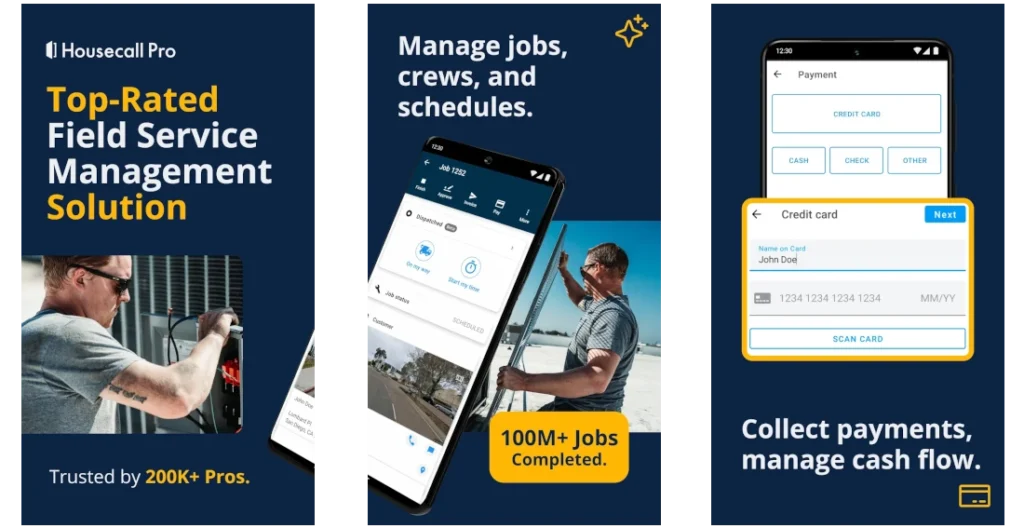
Housecall Pro built its reputation on simplicity. The mobile HVAC app handles job scheduling, customer notifications, invoicing, and payment processing without overwhelming users with options. Techs can generate invoices on-site and collect credit card payments before leaving.
The drag-and-drop dispatch board translates well to tablet screens. Automated follow-up texts and review requests go out without you lifting a finger, which tends to improve repeat business and online ratings. A lot of small and mid-sized HVAC shops end up here because it does what they need without burying them in features.
- Platform: iPhone, Android
- Price: Subscription-based (see website for current pricing)
- Offline Mode: Yes
Website: https://www.housecallpro.com/features/mobile-app/
13. Slack and Microsoft Teams: Keep the Crew Connected
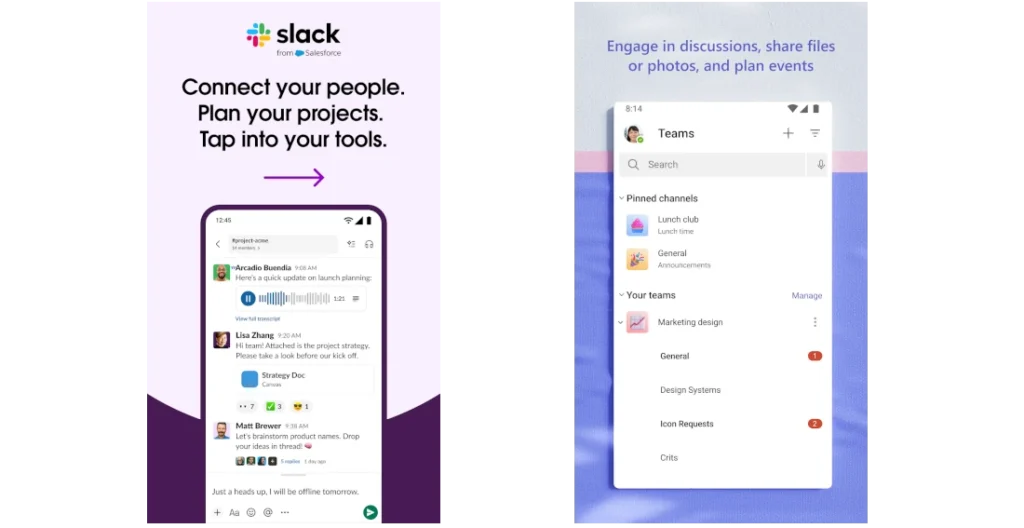
Generic? Yes. Effective? Also yes. Slack and Teams give your crew a place to fire off quick questions without clogging up a group text or waiting on hold for the office.
Create channels for dispatch updates, technical questions, and job-site photos. Everything stays searchable. That question someone answered three weeks ago? Still there, not buried in an old text chain.
- Platform: iPhone, Android
- Price: Free tiers available; paid plans for advanced features
- Offline Mode: Limited
Slack website: https://slack.com/
Microsoft Teams website: https://www.microsoft.com/en-us/microsoft-teams/group-chat-software
For Invoicing & Payments
14. Jobber App: Quoting, Invoicing, and Client Management Combined
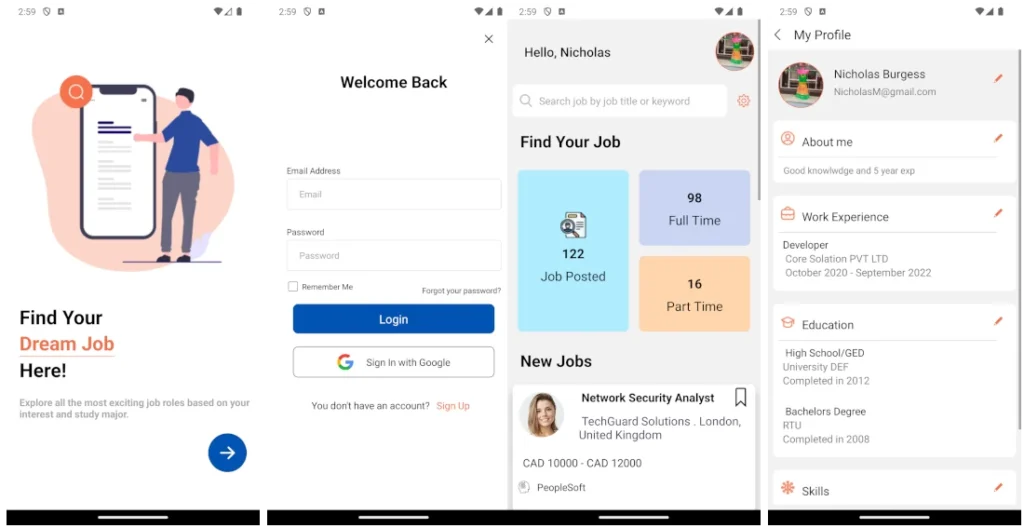
Jobber fits home-service companies running one to 50 employees. Quoting, scheduling, invoicing, and payment collection all happen through the mobile app. Customers approve estimates and pay invoices online, which eliminates a lot of phone tag. For companies seeking the best app for HVAC business administration, Jobber covers most bases.
Staff in the office can send batch invoices, and customers can pull up their service history and scheduled appointments through the client hub. Dispatchers get live GPS on trucks through the FleetSharp integration.
- Platform: iPhone, Android
- Price: Subscription-based (multiple tiers available)
- Offline Mode: Yes
Official site: https://www.getjobber.com/
15. Invoice Simple: No-Frills Invoicing for Solo Operators
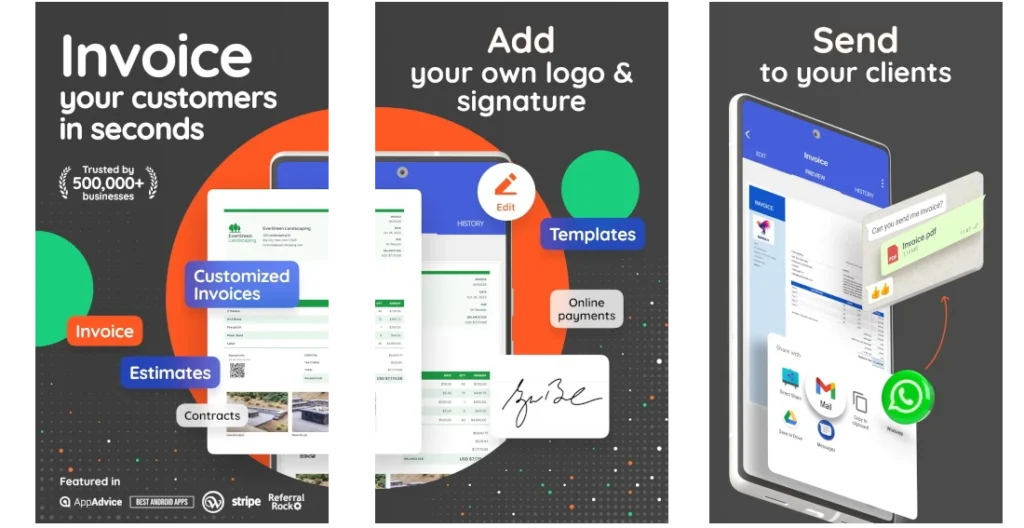
Sometimes you just need to send an invoice. Invoice Simple does exactly that without forcing you into a full FSM subscription. Put together a professional invoice, take payment, and see who still owes you.
The app stores client info and your common line items, which makes repeat invoicing fast. This isn’t a substitute for real accounting software, but it beats paper tickets and spreadsheet chaos.
- Platform: iPhone, Android
- Price: Free basic version; premium plans available
- Offline Mode: Yes
Website: https://www.invoicesimple.com/
16. QuickBooks Online: Accounting That Travels With You
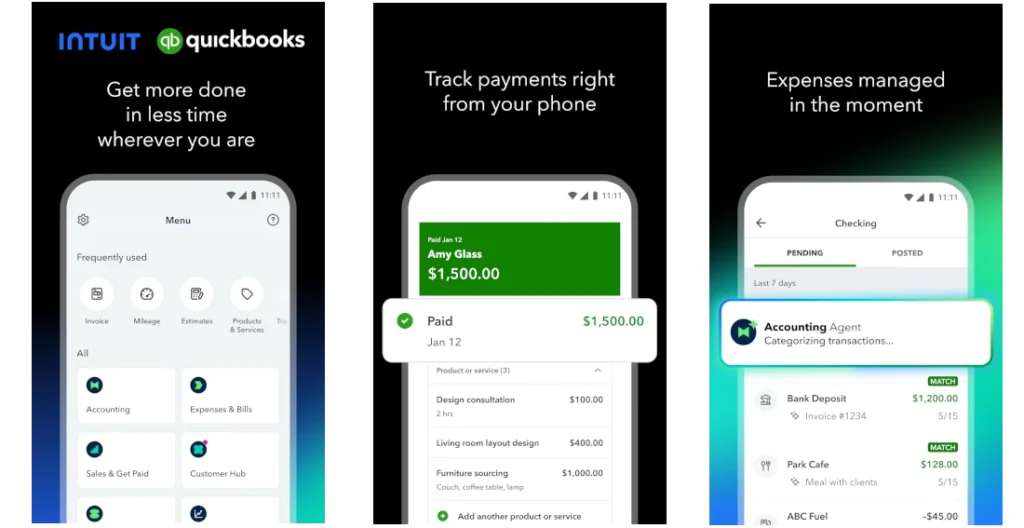
QuickBooks ends up on most HVAC contractors’ phones sooner or later. The mobile version handles invoices, expense logging, receipt snapshots, and cash-flow reports.
Bank feeds sync and sort transactions into categories on their own. Need to check your margins between calls? The data is right there.
- Platform: iPhone, Android
- Price: Subscription-based (multiple tiers available)
- Offline Mode: Limited
Website: https://quickbooks.intuit.com/
Documentation & Photo Apps
17. CompanyCam: Photo Documentation That Organizes Itself
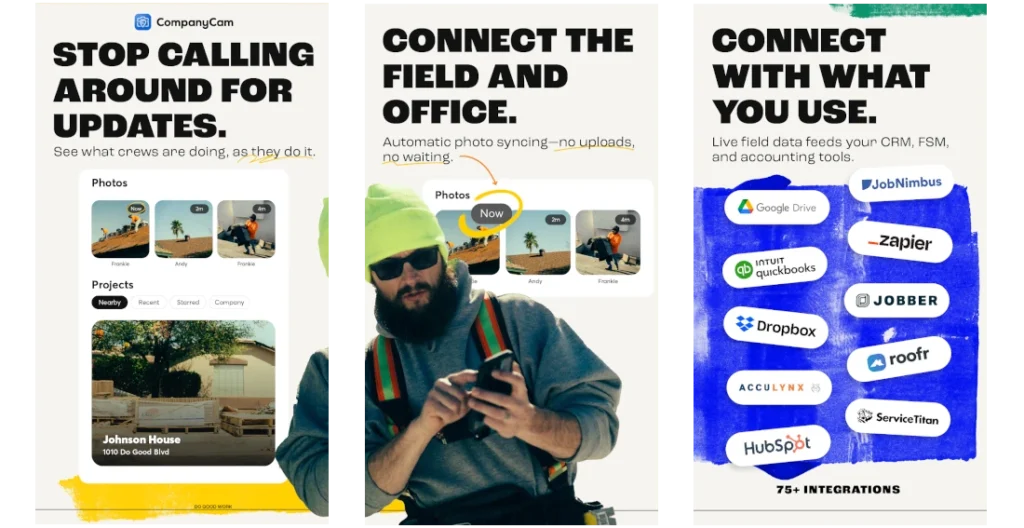
Photos from the job site document quality, resolve disagreements, and help train new employees. CompanyCam sorts every image by address and date, tagging each one with GPS coordinates and a timestamp.
Techs can mark up photos to call out problem areas before sending them to a customer or supervisor. A timeline view lays out project progress from first visit to completion. Pricing is per user. Ask around and you’ll hear the same thing: the subscription cost comes back the first time a time-stamped photo settles an argument with a customer.
- Platform: iPhone, Android
- Price: Subscription-based (per user)
- Offline Mode: Yes (syncs when connected)
Official site: https://companycam.com/
Part 3: Specialized Utility Apps (Niche Tools)
The following apps handle narrower jobs, but plenty of techs keep them on the home screen because they’re exactly right for certain situations.
18. Google Earth and Google Maps: Pre-Job Site Reconnaissance

A quick look at Google Earth before dispatching can save real headaches. Look at roof pitch before sending someone up for condenser access. Spot pools or fencing that might block equipment. Street View shows driveway length and parking options. Thirty seconds of recon saves real time on site.
- Platform: iPhone, Android, Web
- Price: Free
- Offline Mode: Partial (cached areas only)
19. NiceJob (App): Automated Review Requests That Actually Work
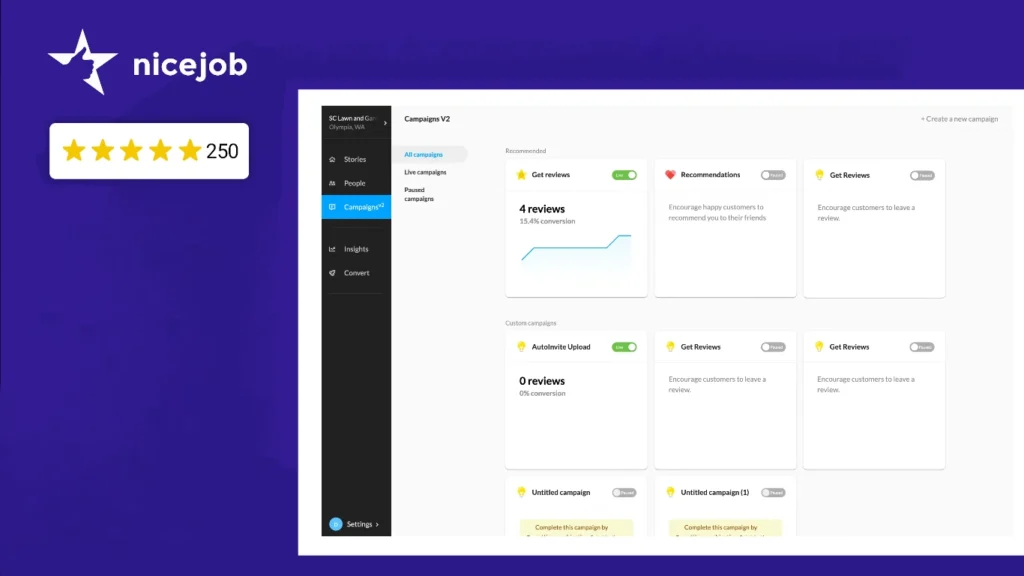
Online reviews directly impact how many calls you receive. NiceJob automates the ask by sending SMS and email review requests after jobs close. Requests hit customers while the job is still fresh, which gets more responses.
One dashboard pulls in reviews from Google, Facebook, and elsewhere so you’re not checking five different sites. Widgets let you display those testimonials on your own site. If you’re investing in HVAC SEO marketing, fresh positive reviews amplify everything else you’re doing.
- Platform: iPhone, Android, Web
- Price: Subscription-based
- Offline Mode: No
Website: https://get.nicejob.com/
20. FleetSharp (App): GPS Tracking and Driver Accountability
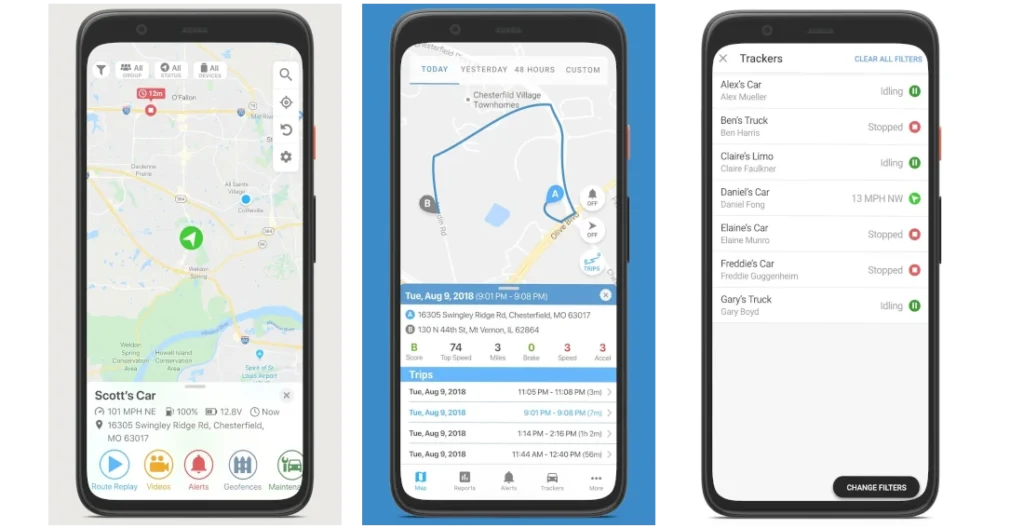
FleetSharp takes minutes to install (OBD plug-in or hardwired option) and monitors vehicle location, speed, idle time, and driving habits. Dispatchers see the closest tech to an emergency call. Owners can spot fuel burn from excessive idling or hard braking without waiting for a gas-card report.
The mobile app lets managers monitor the fleet from anywhere. Geofence alerts notify you when trucks cross defined boundaries. Route replay settles any disputes about arrival times or time on site.
- Platform: iPhone, Android
- Price: Hardware + subscription (contact for pricing)
- Offline Mode: No (tracking requires connectivity)
Official website: https://www.fleetsharp.com/
Comparison Table: Tech Tools vs. Business Apps
| App | Best Use Case | Price Tier | Offline Mode |
| MeasureQuick | System diagnostics with smart tools | Free / Paid | Yes |
| Testo Smart | Measurements with Testo probes | Free | Yes |
| HyTools | Hydronic calculations | Free | Yes |
| CoolCalc Manual J | Load calculations | Free / Pay per report | No |
| Duct Calc Elite | Ductwork sizing | Paid (one-time) | Yes |
| Danfoss Ref Tools | Refrigerant P/T data | Free | Yes |
| HVAC School | Training and reference | Free | Partial |
| EPA 608 Practice | Certification prep | Free / Paid | Yes |
| Bluon | Parts lookup and tech support | Free | Partial |
| Marcone / Gemaire | Distributor inventory and ordering | Free | Limited |
| ServiceTitan Mobile | Full-service FSM | Subscription | Limited |
| Housecall Pro | Scheduling and invoicing | Subscription | Yes |
| Slack / Teams | Team communication | Free / Paid | Limited |
| Jobber | Quoting and client management | Subscription | Yes |
| Invoice Simple | Basic invoicing | Free / Paid | Yes |
| QuickBooks Online | Accounting | Subscription | Limited |
| CompanyCam | Photo documentation | Subscription | Yes |
| Google Earth / Maps | Site reconnaissance | Free | Partial |
| NiceJob | Review generation | Subscription | No |
| FleetSharp | Fleet GPS tracking | Subscription | No |
How to Choose the Right App Stack
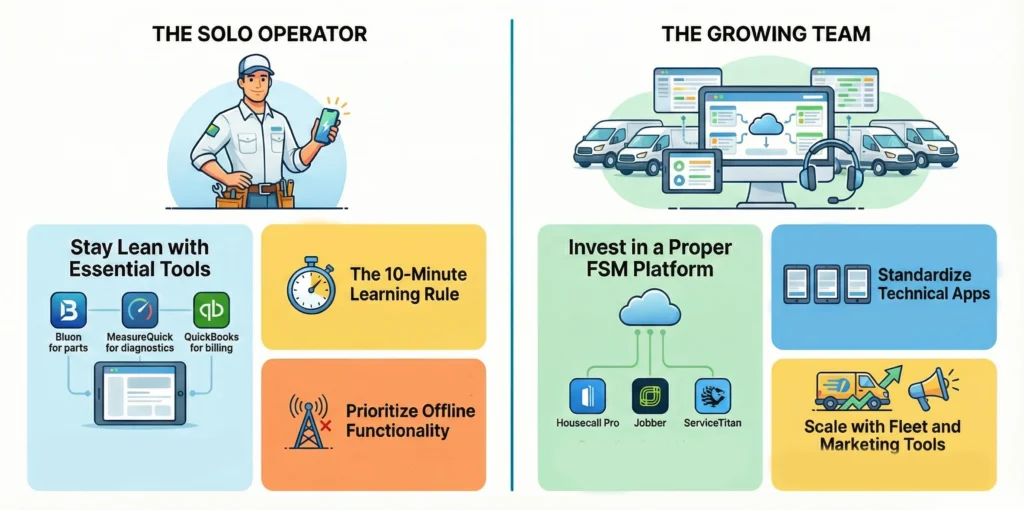
Every HVAC operation runs differently. Someone running a one-person shop has different needs than a company with 20 trucks on the road. Pick apps that fit the way you actually operate.
For the Solo Tech
Stay light. When you’re doing sales, service, and bookkeeping yourself, every HVAC app has to earn its spot on your phone.
Start with Bluon for parts and troubleshooting support. Throw in MeasureQuick if you’ve got Bluetooth instruments. Invoice Simple or QuickBooks handles the billing side. That’s three apps covering most daily needs.
Skip the full FSM platforms until you have employees to manage. The overhead isn’t worth it when you’re a team of one.
Quick checklist for solo operators:
- Does it work offline? You can’t afford dead zones killing productivity.
- Can you learn it in under 10 minutes?
- Does it replace something you’re already paying for?
- Will you actually use it daily?
For the Growing Team
Once you’re dispatching multiple techs, invest in a proper FSM platform like Housecall Pro, Jobber, or ServiceTitan. The coordination features pay dividends as complexity increases.
Standardize your technical apps. When the whole crew runs MeasureQuick, diagnostic records stay consistent and easy to share. A patchwork of different apps creates training problems and uneven customer experiences.
Add CompanyCam for accountability and documentation. Consider FleetSharp when you have enough vehicles that tracking pays for itself in fuel savings and dispatch efficiency. At this stage, HVAC business apps become just as important as your diagnostic tools, sales, and marketing.
In growing HVAC businesses, marketing usually needs more focus as revenue climbs. Bringing in HVAC SEO experts keeps your online visibility moving at the same pace as your field capacity.
Frequently Asked Questions
What are the best free HVAC apps for iPhone?
Bluon, Danfoss Ref Tools, HVAC School, and HyTools all offer full functionality at no cost on iPhone. MeasureQuick has a capable free tier as well. Invoice Simple covers basic invoicing for free until you outgrow it.
Can I run my HVAC business from an iPad?
You can get further than you’d think. Housecall Pro, Jobber, and ServiceTitan each have iPad versions built for the larger screen. Add QuickBooks for the money side and CompanyCam for documentation, and a laptop becomes optional for day-to-day work.
What app helps with HVAC troubleshooting?
Bluon’s MasterMechanic AI provides guided troubleshooting trained on real service calls. For refrigerant system diagnosis, Danfoss Ref Tools offers a symptom-based troubleshooter. MeasureQuick flags faults automatically when connected to smart instruments.
Do I need a separate app for inventory?
That depends on your operation size. Solo techs can often manage truck stock manually. Growing contractors benefit from apps like Bluon or Gemaire that show real-time distributor inventory. Bigger companies often need the inventory features built into their FSM software.
Figure out what’s eating the most time or money in your operation right now, and grab the HVAC app that fixes it. Add tools only when a clear problem calls for them. Three or four apps you actually use will outperform a phone crammed with icons you never tap.